Ancora — financial clarity in under ten seconds
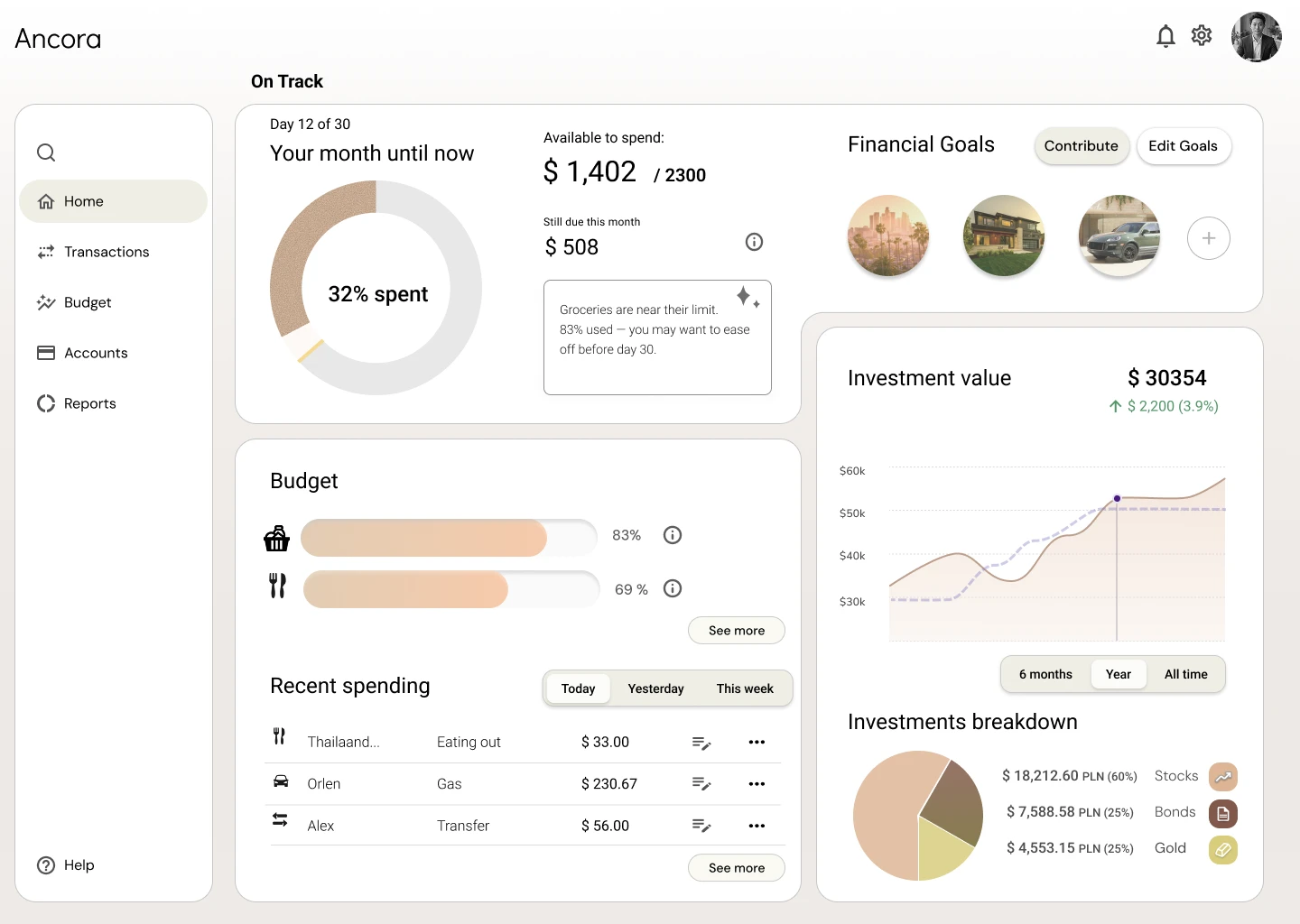
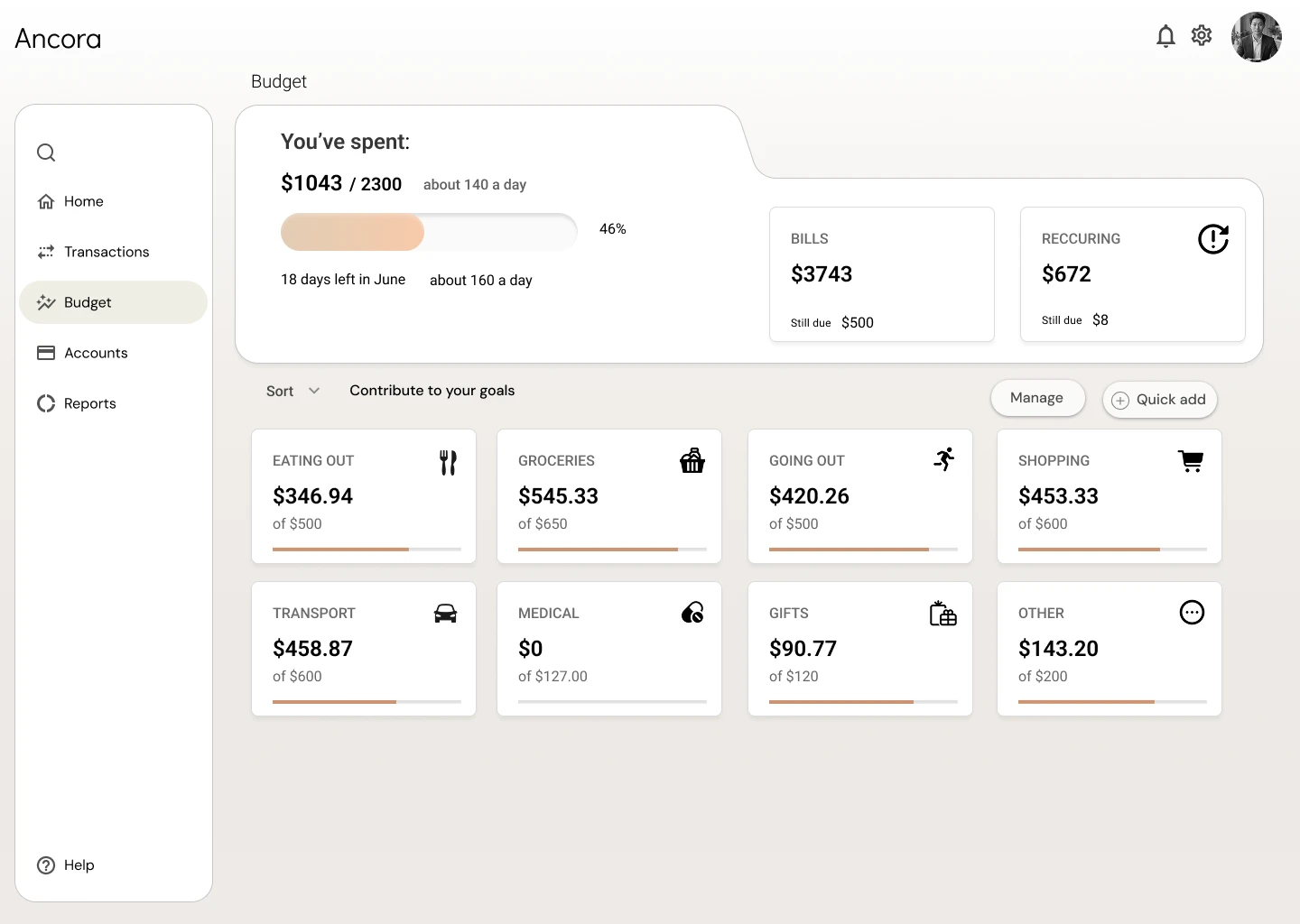
One screen overview of personal budget, net worth, and investments
- Audience
- Working professionals (late 20s+) with stable finances
- Goal
- Reduce friction in budgeting, tracking progress, and aligning to user mental models
- My role
- UX/UI, research, flows, visual design
- Platform
- Web (initial start)
Overview
Ancora is a personal finance dashboard designed for young professionals who actively manage their budget, investments, and financial goals. The goal was to build a tool that lets them assess their financial health in seconds, spot trends, and make informed decisions — without getting lost in data overload.
Challenge
Young professionals already have their banks' apps, so Ancora had to differentiate itself immediately and establish credibility before a user trusts it with their finances. The second challenge was information overload — typical finance dashboards show everything at once, so the most important signal gets lost in the noise.
Process
Research & discovery
I analysed the needs of young professionals and existing banking apps to understand what's missing and what are the friction points slows down a quick read of one's finances. I synthesised the findings into personas and a set of How-Might-We questions to frame the design opportunities.
See the research board on Miro — interview notes and notes on problems with competitorsInformation architecture
I set a clear hierarchy: a single, legible financial-health indicator up front, with details tucked deeper and available on demand — instead of showing everything at once. I wireframed each main section to test the structure before committing to visual design.
Design decision
For the Financial Goals section I weighed four layouts, optimising for motivation rather than data density. I chose showing each goal as a photo with its completion % on hover and fuller details (like contributions) one click away — it keeps the overview calm and glanceable while still surfacing the most important signal.
UI design & prototype
I designed the dashboard and landing page in Figma, prioritising fast visual scanning and a calm, trustworthy aesthetic suited to the finance space.
Design testing
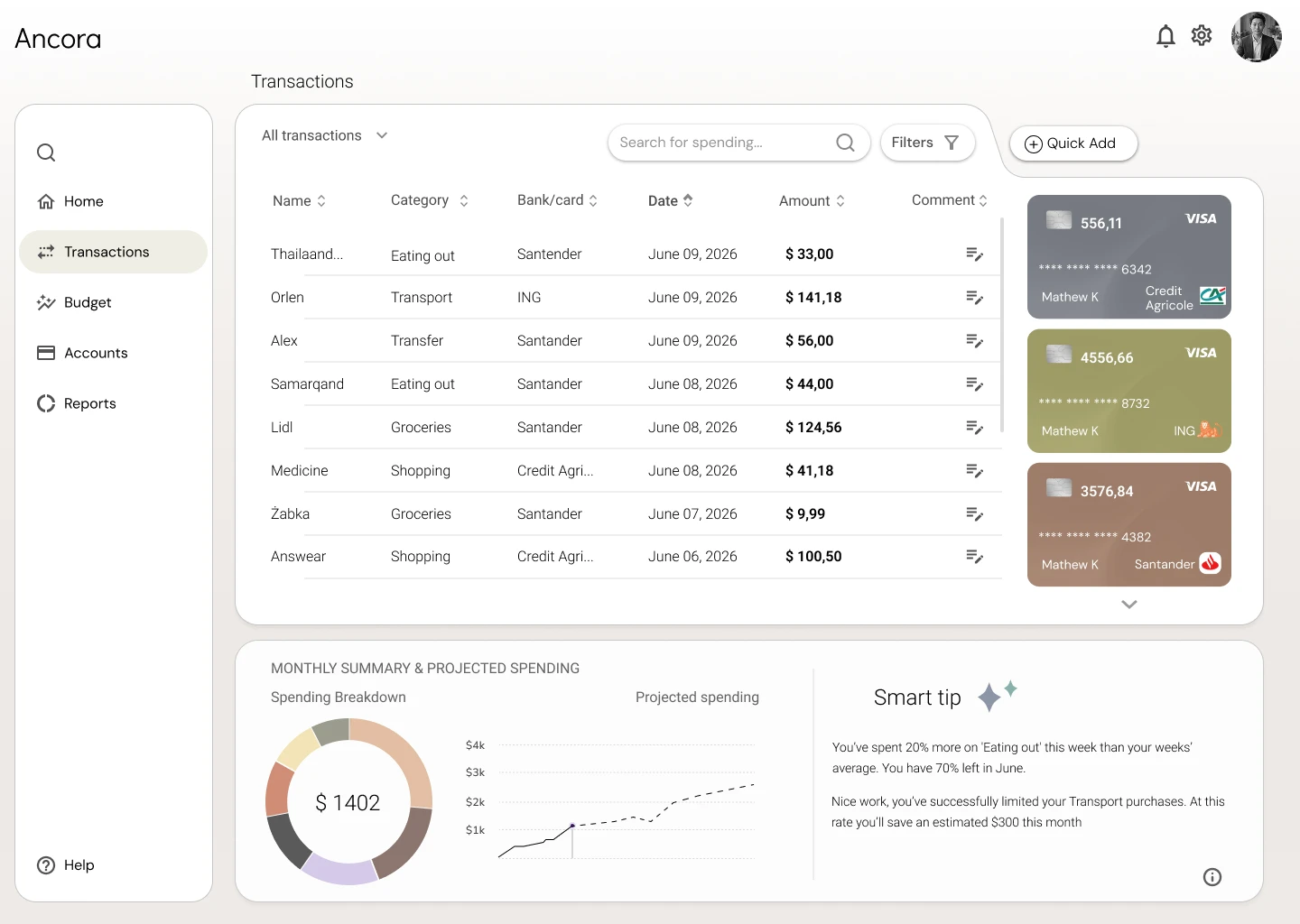
I tested the final design with four participants and made changes to improve the readability of the investment-breakdown chart and the transaction filtering. I measured how quickly users could answer the key daily financial questions gathered during discovery.
Results
The user gets an answer to the question “how am I doing financially?” in under ten seconds of opening the dashboard. The landing page communicates value and builds trust from the first screen, positioning Ancora as a standalone tool rather than yet another add-on to a banking app.
- <10 s
- to a full read of financial health
- 1 dashboard
- key data without overload
- Trust-first
- credibility and authenticity from the first screen, not just a bank add-on
What I learned & next steps
What I learned
After the project kickoff, I defined my research strategy and objectives. Understanding the target audience and their challenges was my priority. This was a concept project, so research was limited. The key insight wasn't just what users want to know, but also how little attention they want to spend on manual tracking. The biggest decisions in the wireframes were what not to show, how to simply convey hierarchy and grouping with the information needed, and how to limit the noise.
- Heavy decision-making is only effective with gathered data about users.
- I realized I enjoy working with structured, systems-heavy problems.
- A larger amount of data forces trade-offs — designing for data-heavy environments is about structuring the content intentionally.
Next steps
Next I'd validate the concept with moderated usability tests on real financial data, design the mobile companion app, and create a personalized onboarding based on user preferences with interactive tooltips to help new users understand key features.